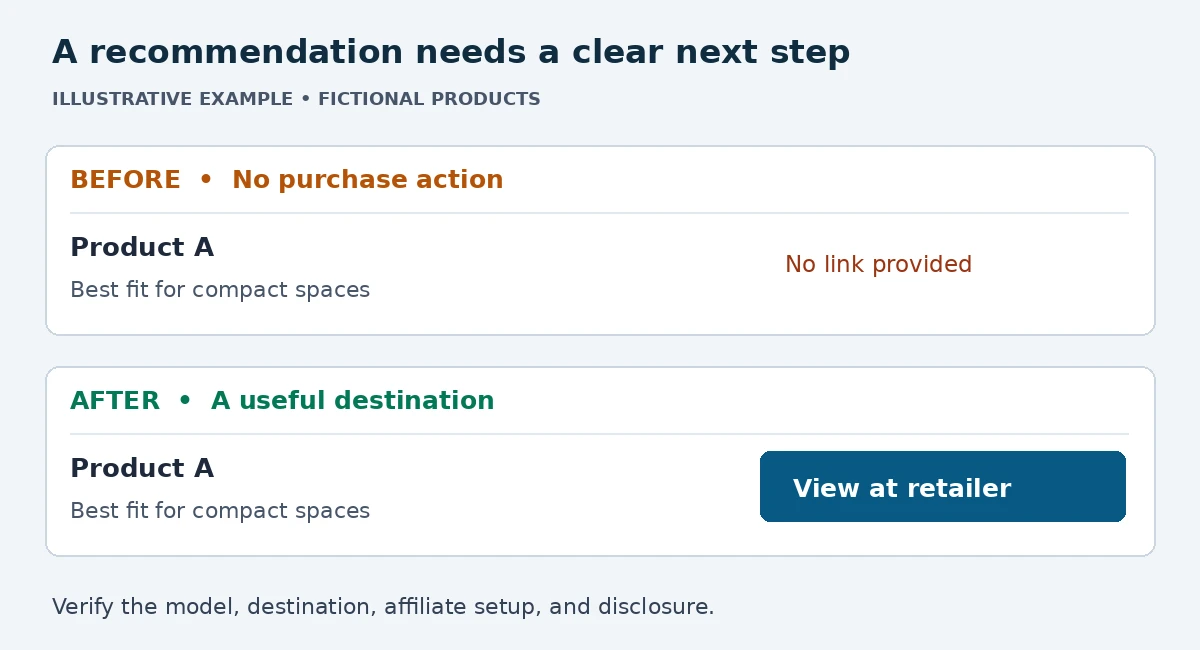
A helpful buying guide can explain every feature and still leave a reader searching for a way to buy. The problem may be a product name with no link, a comparison button that leads to the wrong model, or a final recommendation that sends readers to an ordinary retailer address.
Finding missing affiliate links takes more than counting URLs. Review the moments when a reader chooses a product, then verify that the useful next step reaches the correct destination through an approved affiliate link.
Start with a product and destination inventory
List each recommended product, its exact model or variant, the retailer, and the approved affiliate program. Record the generated destination URL privately. Keep tracking identifiers out of screenshots and public examples.
Mark products without a confirmed affiliate option as unresolved. Do not invent tracking parameters, copy someone else’s affiliate tag, or turn every ordinary product URL into a guessed affiliate link. Use the network’s or merchant’s supported link-building tools. A valid recommendation can remain useful even when no affiliate relationship is available.
Audit decision points instead of every mention
Begin with the comparison table, individual recommendations, and conclusion. These are sensible places to check because readers often compare options or decide what to do there. Treat that as a practical editorial method, not a promise that a particular placement will increase sales.
Next, inspect meaningful first mentions and buying advice within the body. A link fits when it helps the reader act on the nearby information. Repeating the same link in every sentence makes the article harder to read and does not establish better performance.
| Location | What to inspect | Useful correction |
|---|---|---|
| Comparison table | Missing or wrong product destination | Add a clear retailer or product action |
| Product recommendation | Unlinked model name or button | Connect the recommendation to the exact variant |
| Buying advice | Purchase intent with no next step | Add a relevant contextual link |
| Final recommendation | Choice stated without a destination | Offer one clear purchase action |
Check every visible purchase element
A product card may contain a linked heading, a linked image, and a button. Verify each independently. A working button does not establish that the image links anywhere, or that the heading leads to the same product.
Check the published page on mobile as well. A comparison table may scroll sideways, a sticky element may cover a button, or a small link may be difficult to tap. Read the page as a visitor and follow the purchase path without relying on the editor preview.
Separate missing links from broken tracking
Use four categories: no purchase link; wrong destination; affiliate tracking needs verification; verified link. These describe different repairs. A page with many links can still fail if they point to obsolete products, the wrong region, or unapproved destinations.
Compare the stored link with the official generated link, including the intended account and campaign settings. Some redirects use tracking methods that are not obvious in the final URL, so a missing visible tag on the destination alone does not prove tracking failed. Consult the program’s link validator or reporting tools where available.
A page loading successfully confirms destination availability during that check. It does not guarantee that a future purchase will qualify for commission. Attribution rules, consent, returns, product eligibility, and other program conditions can affect the outcome. Do not make a test purchase through your own links; follow the program’s permitted testing process.
Give purchase links clear labels and markup
Use anchor text that explains what happens next, such as checking a named model at a named retailer. Avoid unsupported urgency, stale price claims, or wording that implies a discount you have not verified.
Google recommends identifying paid links with rel="sponsored"; nofollow is also acceptable. A noopener value serves a separate browser-security purpose and does not identify a commercial relationship. See Google’s outbound-link guidance. Apply commercial-link attributes to affiliate links while keeping ordinary editorial citations appropriate to their purpose.
Keep the affiliate disclosure clear and easy to find, and check the current disclosure and placement requirements of each program before publication. Link markup does not replace a disclosure to readers. The FTC’s disclosure guide explains why readers should be able to recognize a material relationship.
Record what you fixed
Keep a simple audit log with the page, product, problem, correction, and check date. Separate verified links from items that still need an approved destination or program-level tracking check.
A before-and-after screenshot can help document a correction. Capture only the relevant section and remove domains, account names, email addresses, and tracking details before sharing it. Label fictional examples clearly so they cannot be mistaken for evidence from a live site.
Build a repeatable publication check
- Match each recommendation to the intended product and retailer.
- Check the comparison table, product cards, and final recommendation.
- Verify affiliate links using approved program tools.
- Inspect commercial-link attributes and reader disclosures.
- Test the public desktop and mobile purchase paths.
- Record unresolved items and recheck after major revisions.
After updating a template or reusable product card, revisit the pages that use it. Schedule periodic reviews around product changes and program updates. Prioritize useful corrections over increasing the raw number of links.
Common questions
Does a working link mean commission tracking works?
No. The destination, tracking setup, and program eligibility are separate checks.
Should every product mention be an affiliate link?
No. Add links where they help readers evaluate or act, and keep the article readable.
Related guide: A practical WordPress pre-publish QA checklist.